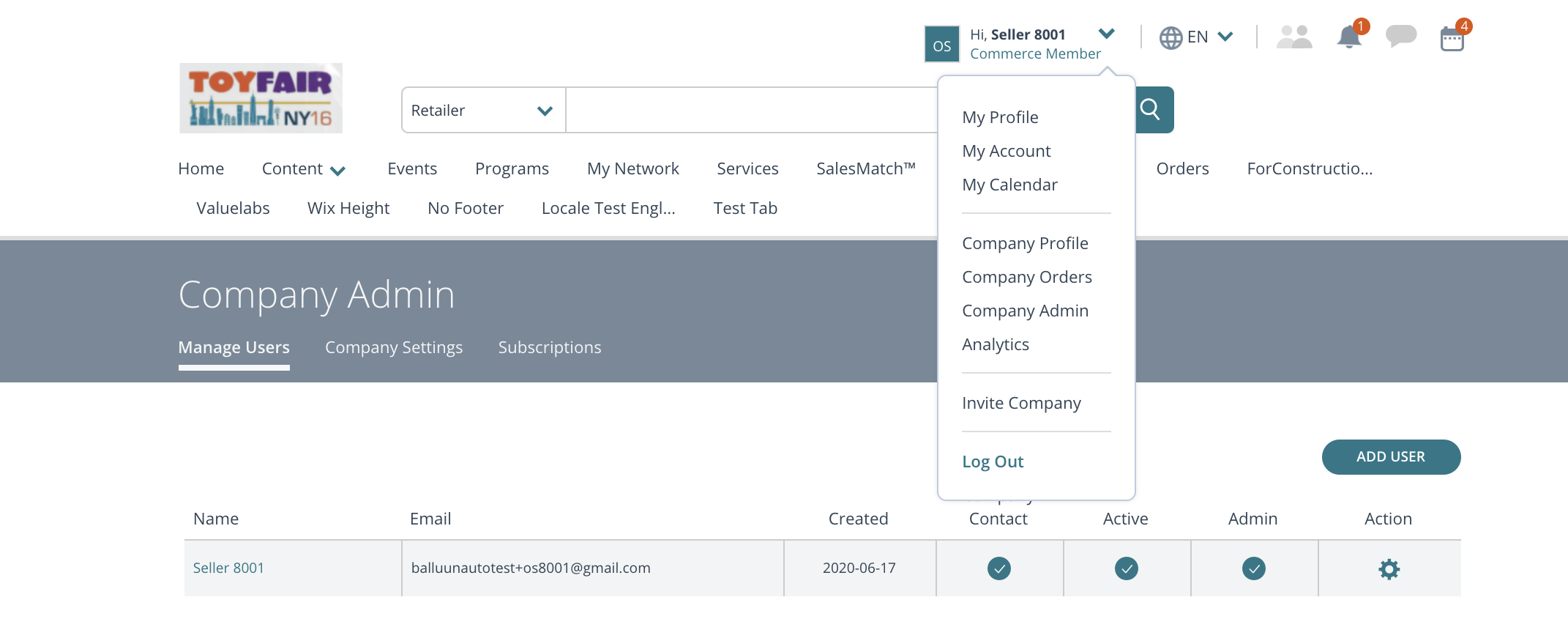
Company admin can select the section "Company admin" from notification area > menu options.
When adding or editing a user, click on 'Role' drop down and you will see the following options by account types.
Seller company will see 3 options:
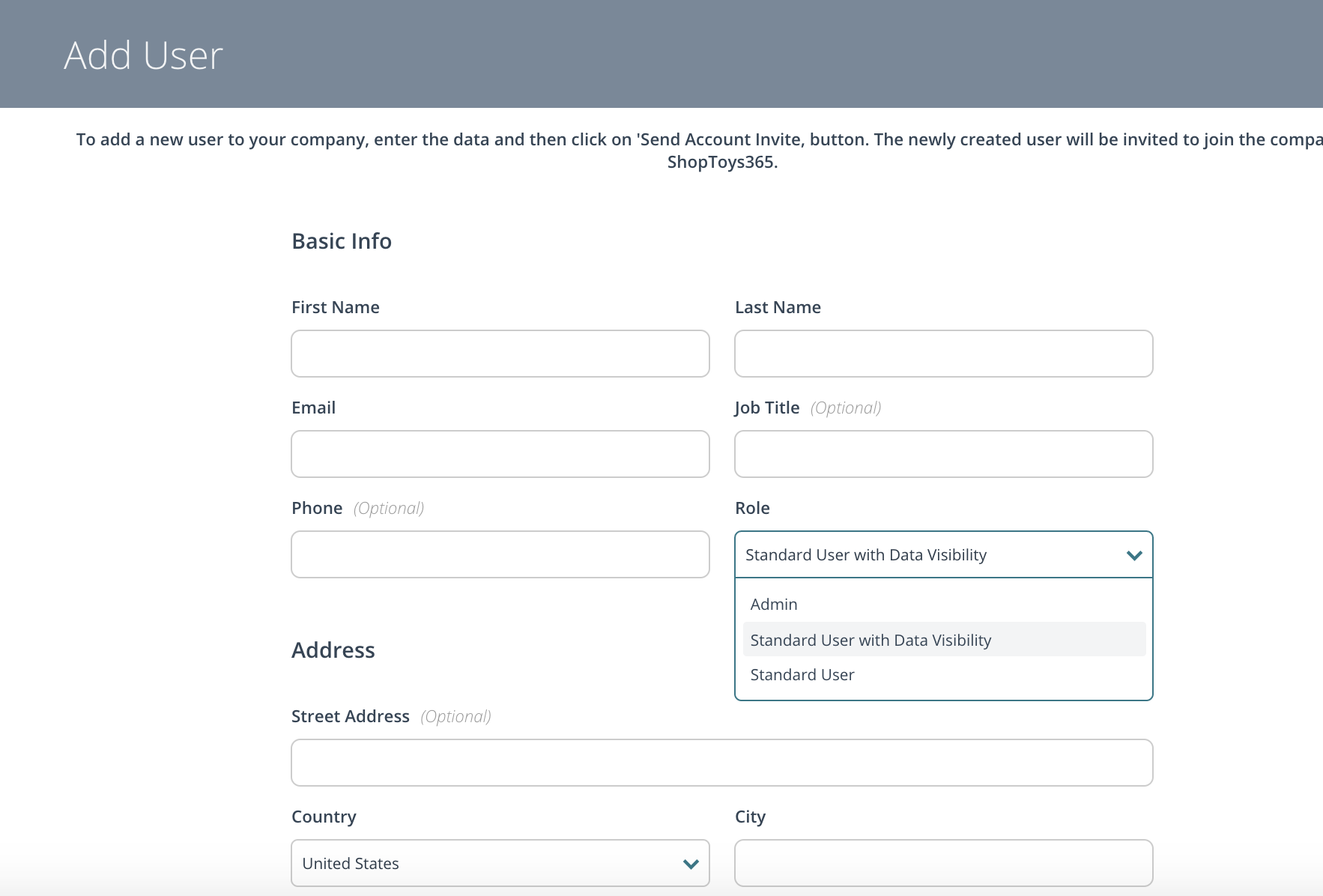
- Admin
- Standard User with Data Visibility
- Standard User
Admin role will provide the user complete access to pages/features/functionality. Standard user with data visibility will have access to all orders related data. Standard user will see only orders that are managed by him/her.
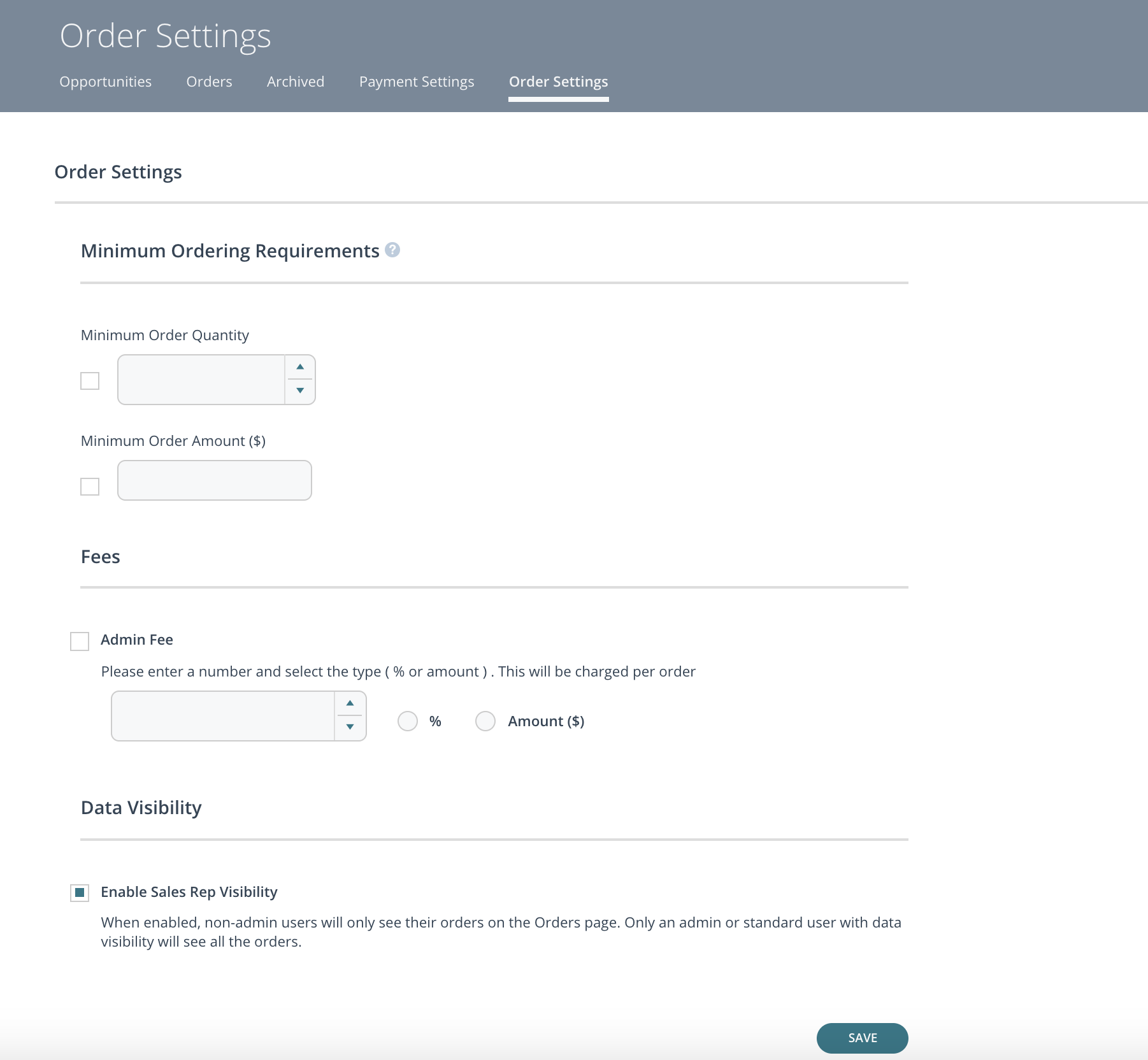
Standard user with data visibility & standard user are only distinct IF 'Commerce' is turned on for the domain AND 'Data Visibility is turned ON in Orders > Order Settings page.
Buyer company will see 2 options:
- Admin
- Standard user
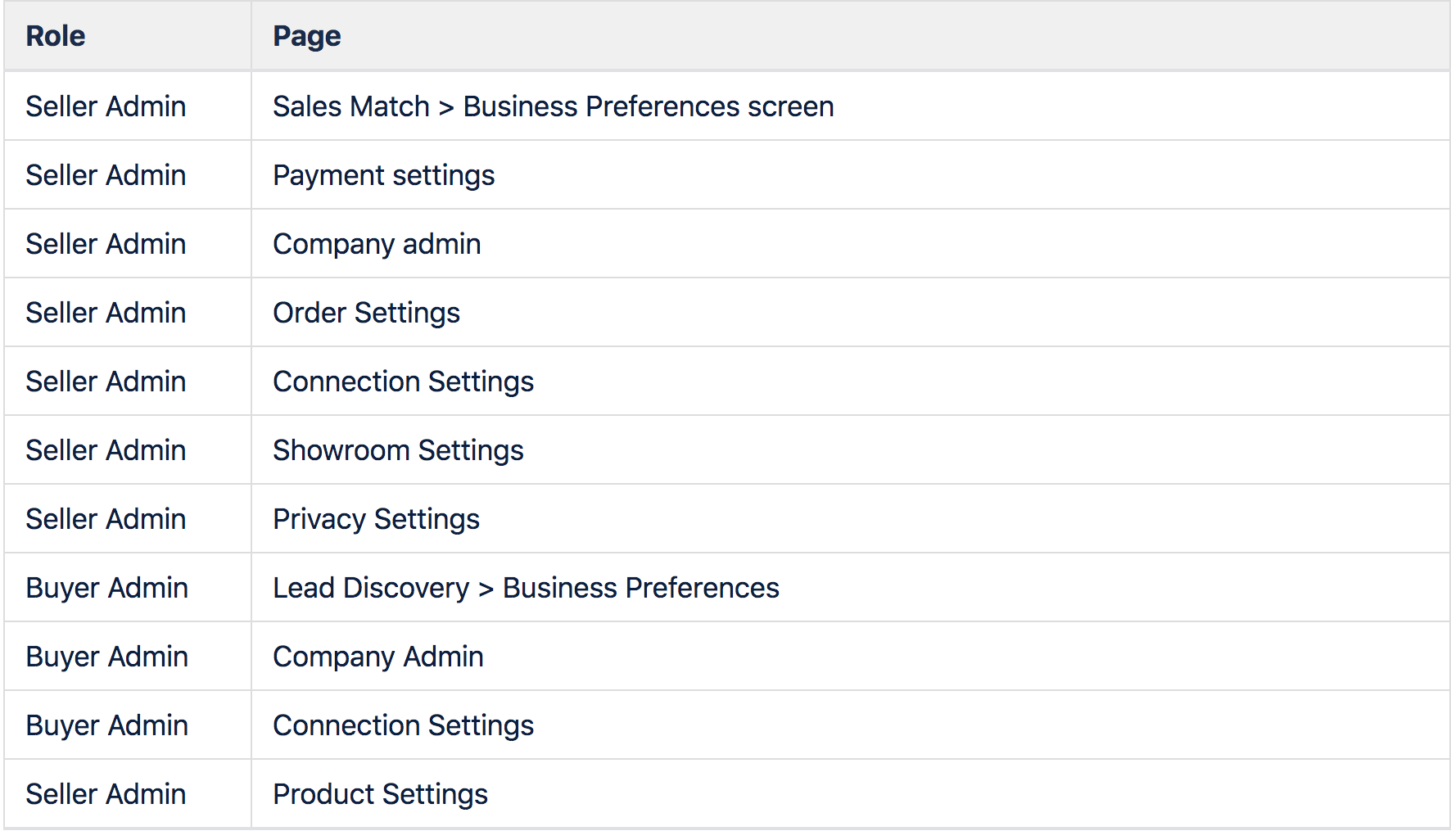
The table below, displays the pages which can be accessed only by domain admin.